Posts

Showing posts with the label First Grade Computer Lessons

1st Grade Lesson- Using Paint Program to Illustrate Sentence

Image
Lesson Name:Using Paint Program to Illustrate Sentence Grade: 1 Major Topic: Fine motor skills, typing, Drawing, Saving, Printing Week/Weeks: 2 Classes  This is a great review of typing and Windows Paint for your first grade computer class. 1st Grade Lesson- Using Paint Program to Illustrate Sentence {sample} NETS for Students : Basic operations and concepts Students demonstrate a sound understanding of the nature and operation of technology systems. Materials: Whiteboard and projector  Computer Microsoft Paint Motivation: Have this sentence displayed for all to see: "This is what I learned in school…." Activity: Have students open up Windows Paint Program. Show them how to use the typing feature. Have them type the above sentence by stressing the importance of using capital letters. Demonstrate the shift key. Have the students draw a picture on the same page of what they learned in school. Teach them how to send to the printer if this is an op...

First Grade- Practice Typing Sight Words

Grade: 1 Major Topic: Fine motor skills, typing Week/Weeks: 1 Class NETS for Students : Basic operations and concepts Students demonstrate a sound understanding of the nature and operation of technology systems. Materials: Word Processor such as Microsoft Word, or WordPad. Projector Electronic Whiteboard  First Grade Typing Sight Words PDF Motivation: Display the First Grade Typing Sight Words PDF on a projector on the front of the room. Activity: After you have introduced the keyboard to your first graders, now is the time to practice typing! Demonstrate to the class how to open the word processor of your choice. Teach them how to use the SPACEBAR and the ENTER key to make spaces and line breaks. Have your students type their first names and hit the enter key twice to start on a new line. The First Grade Typing Sight Words PDF has a list of 10 words. Show each one on the electronic whiteboard until eve...

First Grade- Windows Paint and Self-Portraits

Image
Major Topic: Mouse, Microsoft Paint Week/Weeks: 3 classes NETS for Students: 1. Creativity and Innovation   Students demonstrate creative thinking, construct knowledge, and develop innovative products and processes using technology. Students: a. apply existing knowledge to generate new ideas, products, or processes. b. create original works as a means of personal or group expression. c. use models and simulations to explore complex systems and issues. d. identify trends and forecast possibilities. 6. Technology Operations and Concepts   Students demonstrate a sound understanding of technology concepts, systems, and operations. Students:   a. understand and use technology systems. b. select and use applications effectively and productively. c. troubleshoot systems and applications. d. transfer current knowledge to learning of new technologies. Materials: Projector and whiteboard Mi...

First Grade- Computer Parts Worksheet and Student Login

Image
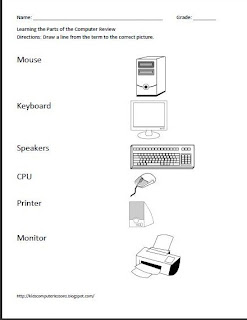
First Grade- Computer Parts Worksheet and Student Login- Sample Worksheet Grade: 1 Major Topic: Computer Hardware, logging into the computer Week/Weeks: 1 class Mrs. Bloom NETS for Students: Basic operations and concepts Students demonstrate a sound understanding of the nature and operation of technology systems. Motivation: Have students sit in a group and play a game called “Simon Says” and have them take turns finding a part of the computer. “Simon Says, [child’s name] find me the monitor!” This is a great way to learn your students’ names! Materials: Pencil Computer Parts Worksheet Computer Activity: Discuss directions and have students complete the computer parts worksheet as per directions. Computer activity: On the whiteboard at the front of the class, have the first grade student sign in and password displayed. Teach them how to log in and out of their computer by demonstrating first and then walking them through the process ste...