Posts

Showing posts with the label Third Grade Computer Lessons

Typing Club for your classroom

Image
With today's implementation of the Common Core, the skill of becoming a proficient typist is more important now than ever. But where do you begin? And at what age? At the beginning of my professional career, I taught preschool children (3 and 4 year olds) computer education in a daycare setting. During that time I had made it a part of their daily learning activity by playing typing games; and practiced word and letter recognition by having the students type sight words and his or her name. Just the simple introductory at that age is very important. However, as they become older, students need more of a "formal" approach to learning the keyboard. I have posted in the past typing exercises and Websites for you to use (click here to check them out). Recently I have introduced Typing Club to my third grade class. Typing Club is a free site that offers a basic version and a school version. While the school version does have a small fee associated with it (that I honestly di...

Website Spotlight: Symbaloo for Education

Image
Tablet. Chromebook. iPad. Smart Phone. What do these tech tools all have in common? Apps. Children are often excited when they see a colorful square with a fun icon nestled inside. For years I have been listing hyper-linked words on my classroom Website for students to endlessly search through until they found the exact link I was directing them to. Then I stumbled onto Symbaloo  and was able to make the list of links into colorful "app-like" clickable boxes. You can get Symbaloo for free in both "public" and "education" versions as well as use the paid version with more features. Easily bookmark and share your Websites with ease- as well as make it visually appealing! Symbaloo can turn your list of hyper-linked Web Words and make them into fun app-like bookmarks. Have your students sign up and create their own Symbaloo's for a research project. Create a Symbaloo and post it to your classroom Website or have the Symbaloo be the first Web page that ...

3rd Grade- Learning the Internet with Worksheets and PowerPoint

Image
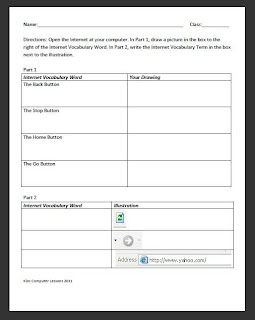
Grade:  3 Major Topic: Typing- Parts of the Internet Week/Weeks: 3-4 classes NETS for Students : 3. Research and Information Fluency Students apply digital tools to gather, evaluate, and use information.  5. Digital Citizenship Students understand human, cultural, and societal issues related to technology and practice legal and ethical behavior. 6. Technology Operations and Concepts   Students demonstrate a sound understanding of technology concepts, systems, and operations.  Materials: Learning the Internet Worksheet Intro to the Internet PowerPoint includes link to the Internet for Kids Class at end of ppt! Parts of the Internet Work Sheet Learning the Internet Worksheet Internet (preferably Internet Explorer)   Whiteboard and projector   Computer Activity: 1. Introduction to the Internet PowerPoint on Day 1. Go through the terms- have the students take notes if deemed worthy. Make sure to have the students type in the link http://www.bcls.lib.nj....

Third Grade Typing Unit using PowerTyping.com

Image
Unit Name: Intro to Typing Grade:  3 Major Topic: Typing- Memorizing the Keyboard Week/Weeks: 7-9 classes NETS for Students : 6. Technology Operations and Concepts   Students demonstrate a sound understanding of technology concepts, systems, and operations. Students:   a. understand and use technology systems. Materials: Blank Computer Worksheet Blank Computer Test Printable WPM Worksheet Website:  http://www.powertyping.com/qwerty/lessonsq.html Typing PowerPoint Internet Whiteboard and projector Computer Word Processor Refer to  http://www.customtyping.com/tutorials/kb/Correct_fingering.htm for correct finger placements. Motivation: Show Typing PowerPoint and discuss the basics of typing. Activity: Week 1- The main goal of this typing year is to have the students memorize the keyboard! After the introduction of the Typing PowerPoint, have them fill in the left hand home row keys: ASDF onto their blank keyboard.  Have them...