Posts

Showing posts with the label Internet Safety

Privacy, Security, & Safety

Image
It’s 2020 (just about) – do you know where your students' data is? As National Cyber Security Month (October) has come to an end; and as the dawn of New York State’s proposed Education Law §2-d protecting students' Personally Identifiable Information (PII) is upon us here in The Empire State, I found it a good time to share this playlist for staff development. I recently have used this at a forum where I had tech leaders, newbies, innovators, coaches, etc. take ownership in their learning and understanding of the laws and regulations surrounding privacy, security, and safety. Working collaboratively (or in solitude if preferred), they were able to contribute to a Padlet where further discussion was given after the chance of exploration and written reflection were given on their findings. Interestingly enough, not everyone in the room was familiar with every regulation. Many awesome conversations and questions were had…. Especially around student privacy. Of co...

Great Internet Safety Resources for K-2

Image
Internet Safety concepts are sometimes hard for the younger student. Below I listed  a few of my favorite resources. Video: Story: ABCya's Cyber Five Video:  Faux Paw's Adventures in the Internet (Oldie but Goodie) Game: Webonauts BrainPOP Jr.'s Internet Safety What's you favorite resource?

Setting Safe Search to Pixabay

Image
If you are ever in the search for royalty free, high-quality images to use with your students, Pixabay.com  is the place to go. I have been a huge fan for years and have found from experience that the bigger they grow and the more popular they have become, the more I am running into questionable images. Luckily, {although not foolproof} Pixabay has a Safe Search for images built right into their Website. Please know that sometimes, (like anything else) questionable content slips through the cracks. You are always your students best line in defense to make certain they are safe. Making sure students know how to "handle" the situation is also a priority (i.e. have them turn off the screen before the come and report it). Here is how to access it Pixabay's Safe Search: 1. In the top right-hand corner is a menu button. Select it and press FAQ. 2. Scroll down until you find the Safe Search section and check off the box to enable. That's it! Happy safe s...

Internet Safety Digital Comic Strip for Second Graders

Image
In this unit students will learn: How to be safe online What information you should  NEVER  share with anyone you meet online. How to create a Make Beliefs Comix Strip to tell a story of how to be safe online. What you need: Faux Paw's Adventers in the Internet- Digital book or online video (above) and resources from ikeepsafe.org Make Beliefs Comix Website What you do: Introduce Internet Safety by reading/watching Faux Paw's Adventures in the Internet and discuss what information you do not share online. Have students complete the associated Activity Sheet that iKeepsafe.org provides with this lesson to use as a guide for their Comic Strip. Have students create a 6 panel (or more) comic using Make Beliefs Comix outlining the five pieces of information not to share while on the Internet. Use this Google Doc as your students guide for the project- make it your own by going to File-->Make a Copy! Example:

Digital Citizenship for 3-5th Grade

Image
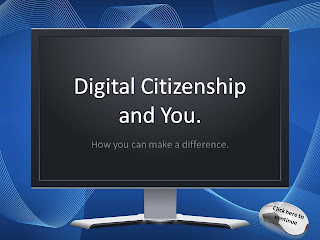
Digital Citizenship is an important lesson to teach, especially at a young age. I typically begin teaching this concept around the third grade so it is embedded in their minds when they become young adults.   I provided you with this PowerPoint to assist you in teaching your class about Digital Citizenship. Please note that it is created as a .pptx file and the directions for the PowerPoint are provided for you in the notes section under each slide. Included in The Digital Citizenship and You PowerPoint is an interactive quiz that works very well as a whole-class lesson. I have also created a "I pledge to be a good digital citizenship" for you and your students to sign and display with pride. To go along with the lesson on Digital Citizenship, I  recommend  the PBS.org interactive online game called Webonauts . My third graders loved playing this game as it beautifully illustrates how to be a good citizen- on and offline! And hey- it's fun too! Download the Digital Citiz...