Posts

Student Quickstart Guide for Google Classroom

Image
I am an educator, a student, a mother. Parenting. In this quarantine. Navigating both the supportive role of education, but also as the recipient of children who are learning in crisis mode. I made this for my children. For your children. Please, stay healthy and safe. Download your Free Printable here. Special thanks to all the people who made and released these awesome resources for free: Presentation template by SlidesCarnival Photographs by Unsplash  & Pixabay

Remote. Control. Art. A collection of experiences during this time.

Image
“This is an unprecedented time in education that we are experiencing. Do you know who my heart goes out to?” I hear my words echo as we close in to week three of quarantine. I am video conferencing with a group of art teachers from various school districts within my region that is composed of three counties in New York State. “My heart bleeds for the districts. For the administration. For the staff. For the teachers. For the students. For the parents. No matter how many times we speak of the impact that technology has on our daily lives, and on our educational system, nothing has prepared any of us for this. Distance (remote, or whichever term you prefer) learning is a different discipline in and of itself. No matter how many times we use tech tools in our classrooms, flip learning, or have hybrid environments, we were not prepared to teach or learn like this. Not only are we more aware of the digital divide as it was slapped across our face as a state, as a nation- we were also ...

Distance Learning Resources

Today, parents, educators, and administrators received the news that schools in my area of New York State are to close until April 20. With the uncertainty that lies ahead as to how this will look like as a whole, and as I hear many educator friends and parents asking for digital resources, I created this Wakelet in an effort to support their uncertainty.  Many of the resources listed below are waiving fees due to school closures. This list will expand. Make sure to check back!

Using Google Chrome Music Lab's Song Maker as a Schoology Discussion

Image
One aspect of my job as a staff development specialist that I truly enjoy is the ability to work with a variety of individuals in the field of education. Although a large part of my position is mainly working on the “techie” side of education, my position often lends itself to the “other duties assigned” realm of things. For example, one day I can be working with a class of Kindergarteners with robotics and coding, the next assisting teachers with curriculum mapping for middle school manufacturing classes, the following day reviewing science standards and storylines with a science department, and then the next pulling data for a school board presentation. Aside from dabbling in educational technology as well as “this century” instructional practices and pedagogy, I do a LOT of work with art and music educators. Honestly, when I do, it is like a home-cooked meal; it is very comforting for me, since I started my career as an art teacher. I worked with an elementary music teache...

Wakelet Tutorial, Updates, Emojis and Crowd Surfing

Image
I have to say that I have just recently entered the world of a Wakelet Ambassador after only using the application for a few short months and quickly falling in love. Aside from bookmarking resources for myself personally for “professional reasons” (for example, I made myself a Wakelet bucket list collection that I set to private with resources of tools and endeavors that I would like to accomplish for 2020), I also use Wakelet to quickly share resources with the teachers and administrators during my professional development workshops and to collect resources and New York State Education updates that were presented to the curriculum administrators in my region as a way to curate resources with the regional professional learning communities or with folks like yourself! New to Wakelet? Below is a tutorial to get you started. Simply click around the image below to begin! Wakelet Adventure by Aimee Bloom ✅Quick Tip- and nothing revolutionary here…. Well, to me it is. ...

Goals, Burnout, Mindfulness, and Of Course, Resources

Image
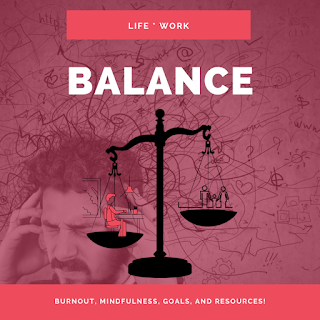
It's almost the end of January. How are your New Year's resolutions going for you? Perhaps you promised yourself that you would eat better, get fitter, spend less time on social media? Then you go to a conference for a week, eat all the no-good-for-you-foods, tweet every 30 seconds, and come February admit to yourself that January was more of a one-month free trial. #FETC #FETC2020 #Miami! {Yes, I may be referencing myself here}. Good news, it gets even better - this year we happen to have an extra day to disappoint ourselves due to Leap Year. Okay, so enough with the negativity towards setting NYE resolutions. Setting realistic goals can help move us forward, and perhaps give us a sense of purpose. Some see this practice as a way to get out of the so-called comfort zone, so it's scary as hell. For others, instead, goals may be a way to measure their self worth. Whatever your reason, please remember that each goal you set is just a benchmark, a way to check in an...

Beyond The Hour Of Code: Resources To Get You Started

Image
If you are unfamiliar, Computer Science Education Week is December 9–15 this year, and is a week dedicated to getting students and teachers excited about coding. The Hour of Code is just one venue that you can participate in to get your feet wet coding with your students. If you have never participated in the Hour of Code before, I highly recommend you take a moment and jump on over to the FAQ section to learn more about the awesomeness, as well as to give it a try in your classroom yourself! Although you can technically host an Hour of Code anytime throughout the year, you may eventually want to do more in your classroom. CSEDWeek provides you with ways in which you can bring coding to your school. Regardless if you are a CS Teacher or a classroom teacher, teaching the fundamentals of computational thinking assists students with their critical thinking skills . Below is a brief list of some of my favorite tools. Code.org Price: Free | Privacy Policy | Ages: K-12 ...